A chance click opened the entrance to a "visual library"
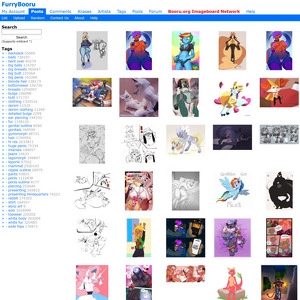
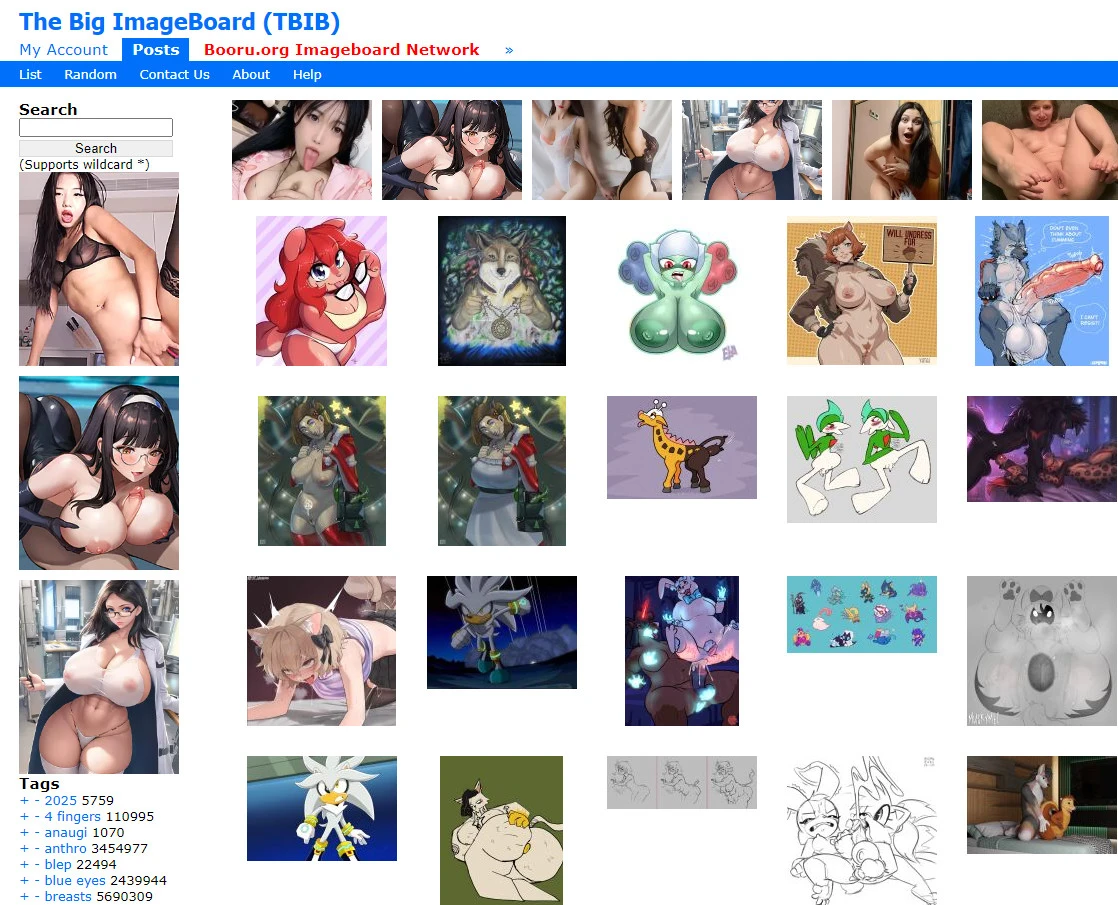
That day I just casually clicked on an image collection source, unexpectedly entering a webpage that looked very "primitive." The Big ImageBoard gave me the first impression of simplicity, no extra decorations, no ads or pop-ups, white background with dense image arrays. I originally thought it was just an ordinary resource site, but once I started browsing, I couldn't stop. It's not a platform that "feeds images" to you, but a place where you explore by yourself, increasingly resembling a visual map. The page design is extremely simple: a few common operation buttons at the top, a search bar and popular tags list on the left, images displayed directly in the center, dozens per page, with almost no delay when flipping pages. For those used to finding content on their own, this structure is very friendly and easy to use without learning.
The tag system is surprisingly powerful, content combination logic is as handy as a puzzle
TBIB completely relies on tags to guide browsing, which is very different from traditional sites. I originally just wanted to find a certain themed collection, but after clicking in, I found each tag led to a new world. Even more impressive, you can stack multiple keywords, like "mechanical style + anthropomorphic," filtering out many images I had never seen before. This exploration method is especially addictive because it’s no longer just what you scroll through, but you choose your own route and freely jump around. The connection between tags and images is very tight; each click feels like opening a door on a map. I now basically don’t rely on navigation, only on tags.
Rich content types, style range so wide it feels like visiting multiple websites
The content on this site really exceeded my expectations. At first, I thought it only had Western-style illustrations, but after browsing for a few days, I found everything inside. Hand-drawn, AI-generated images, visual novel style graphic settings, even some documentary-style photography content, the range is very broad. You can find very niche expressions here, like evolution charts of certain character designs, and also complete story collections. Importantly, it’s not just a pile of images but has a clear structure and well-defined tag categories, each category can be browsed for dozens of pages. Even people with very particular or niche tastes can easily find their interest areas.
Desktop is the main platform, mobile experience is okay but not perfect
Although you can browse TBIB on mobile, it’s clearly designed for computers. Images are densely packed, browsing on a large screen is very immersive; loading is fast, operations smooth, and navigation almost instant. But on mobile, the page feels a bit crowded, especially when tapping images with fingers, it’s easy to misclick. However, it’s good that there are no ads, no redirects, no loading bars, making it look clean and comfortable, unlike other resource sites with annoying pop-ups that mess with your mood. If you want to browse casually in spare moments, the experience is passable, but if you want to "seriously browse images," it’s recommended to use the desktop version.
Update frequency is astonishingly high, free submissions keep content flowing
When I browse the popular tags page daily, almost every refresh shows new images. This is because TBIB is an open upload platform where any user can submit images, whether original, composite, or reworked. The upload process has almost no barriers; as long as you tag properly, you can publish. This means content updates very quickly and covers a wide range. Of course, this openness also brings inconsistent content standards, but I think this actually enhances its "exploration feeling" — you never know what you’ll see on the next page.
Minimalist features + high freedom: not for casual browsing, better for deep exploration
TBIB has no like system and no community interaction; the entire site’s functions revolve around the keywords "images" and "tags." If you want images, it gives them to you; if you want to upload, it won’t stop you. This operation style keeps the whole site’s pace very clean, no social pressure, and no interference from recommendation algorithms. If you’re used to platforms that automatically feed content, you might find it cold, but for me, this "library-style" usage feels very comfortable. It’s more like a tool site that requires you to actively explore, not just a content pool for casual flicking.
For people like me who love digging images through tags, it’s easy to get immersed
Now The Big ImageBoard is not just an image site for me, but more like a treasure trove of materials. Each tag page is an independent visual theme room, where you can see the evolution of a style, a painter’s habitual path, or even a small subcultural universe. It doesn’t try to keep you there, but once you enter, it’s hard to leave. For someone like me who enjoys slowly "digging for treasures," it has turned from a casually clicked link into a daily must-browse part. It won’t flatter you, but what it offers can’t be found in many other places.

 Chinese Adult Websites
 Real Young Girl Virginity Loss

 Free Instant Play
 Online Instant Play
 Yo Girl Incest
 Banned Film Paradise
 Adult Video APP (Application Center)
 Watch Porn for Free
 91 Pink Hole
 X Station Collection
 91 DouYin
 Yellow Fruit Short Drama
 AI Lust Beast Cave Academy
 91 Video
 Sports Chess and Cards
 New Lisboa
 Macau New Lisboa
 Venetian
 Macau New Lisboa
 Kaiyuan Chess and Cards
 Mahjong Win
 PG Entertainment
 Macau Casino
 Macau Grand Casino
 Macau Sands
 Gossip and Scandal Adult Websites
 Gossip Net
 Asian Porn Websites
 korean porn movie
 missav
 Free KISSAV
 Netflav